The 4 Simple Steps To Find Someone Using Face Search Engine

With the release of FaceCheck.ID new face search engine, people are wondering how this technology works and what implications it may have. A face search engine is a powerful tool that can be used to find almost anyone online. This article will show you the four simple steps to finding someone using this new tool.
In this article, we're going to discuss
What is a face search engine?
A face search engine is a tool that allows you to search the Internet for someone using their photo. You can upload a photo of the person you're looking for, and the face search engine will search through its database to find matches.
Why do we need FaceCheck.ID if we have Google Images?
Google Images is a reverse image search, it does NOT search by face, it searches images by overall image similarity. So if you're looking for a guy in a white shirt in front of a blue background it will find a list of guys in a white shirt in front of blue background not paying attention to their faces. FaceCheck.ID specializes in finding the same or similar faces. So if you're searching for the same image with FaceCheck.ID, it will find guys that have the most similar faces ignoring the color of their shirts or anything in the background.

Google does not work well for faces because it lacks facial recognition

Bing image search does not work at all for faces!
How to use a face search engine
- Go to the face search engine FaceCheck.ID
- Upload the photo of the person you're looking for. The best images to use are ones where the person is alone and facing the camera directly.
- Wait for the results, deep search takes about 15 seconds. The face search engine will show you a list of matches.
- Click on a match to learn more about that person.

How to search social media by face with FaceCheck.ID
The benefits of using a face search engine
There are many benefits of using a face search engine. One of the most important benefits is that it can help you find someone who may be lost or missing. A face search engine can also be used to find someone who has been involved in a crime. Additionally, a face search engine can be used to find someone who is wanted by the police or other law enforcement agencies.
Another benefit of using a face search engine is that it can help you reunite with old friends or family members. Additionally, a face search engine can be used to find out if someone is lying about their identity. Finally, a face search engine can be used to find out if someone has been arrested or convicted of a crime.
The best face search engines
There are a few different face search engines that you can use to find someone. The best ones are:
FaceCheck.ID: FaceCheck.ID is the most powerful face search in our opinion. Upload a photo of the person you're looking for and click on the Search button. FaceCheck will show you photo results with all the links to their social media account, such as Facebook, LinkedIn, Instagram, Twitter, Onlyfans, ModelMayhem, Poshmark, Flickr, etc...

Face search engine FaceCheck.ID
TinEye: TinEye is a reverse image search engine that you can use. To use it, go to tineye.com and upload a photo of the person you're looking for. TinEye will then show you all of the places where that photo appears online. TinEye does not use facial recognition, so searching for people is not the most effective.
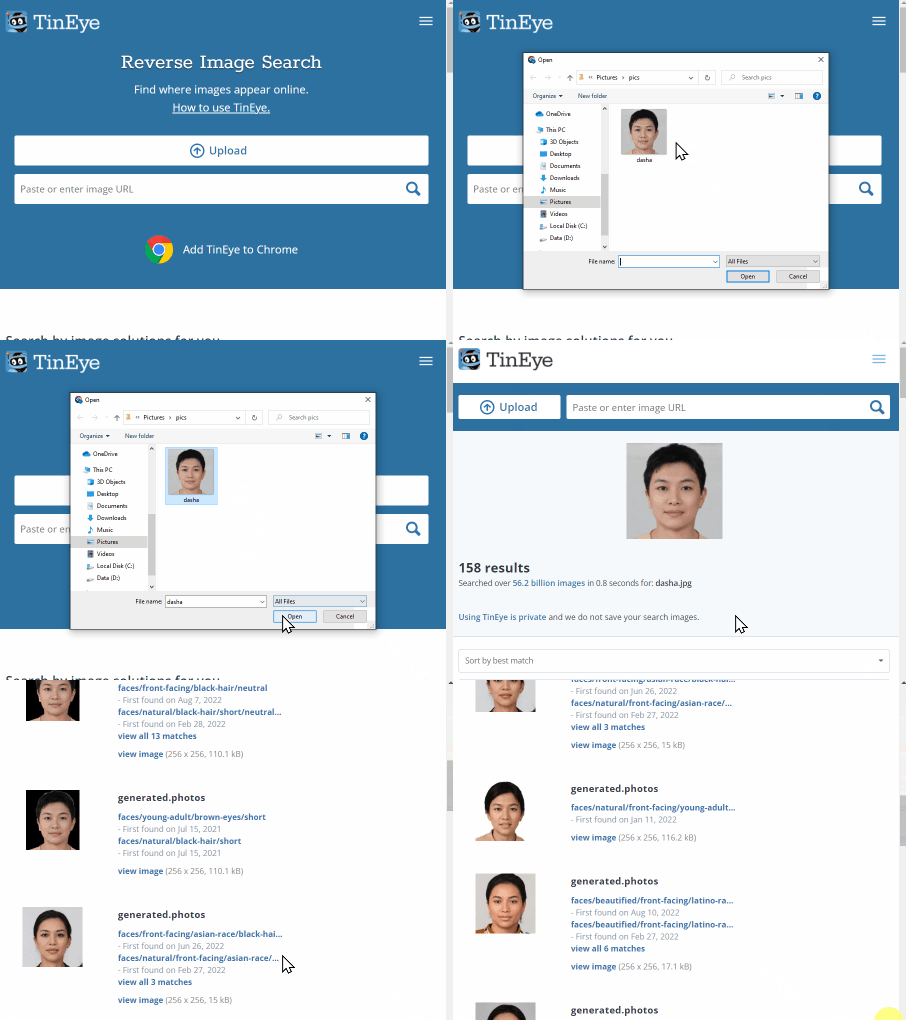
Reverse image search using TinEye.com
PimEyes: PimEyes is another good face search engine. To use it, go to pimeyes.com and upload a photo of the person you're looking for. PimEyes will show you all of the places where that photo appears online. PimEyes uses facial recognition, but searching for anyone else than your own photo is against their terms of service.
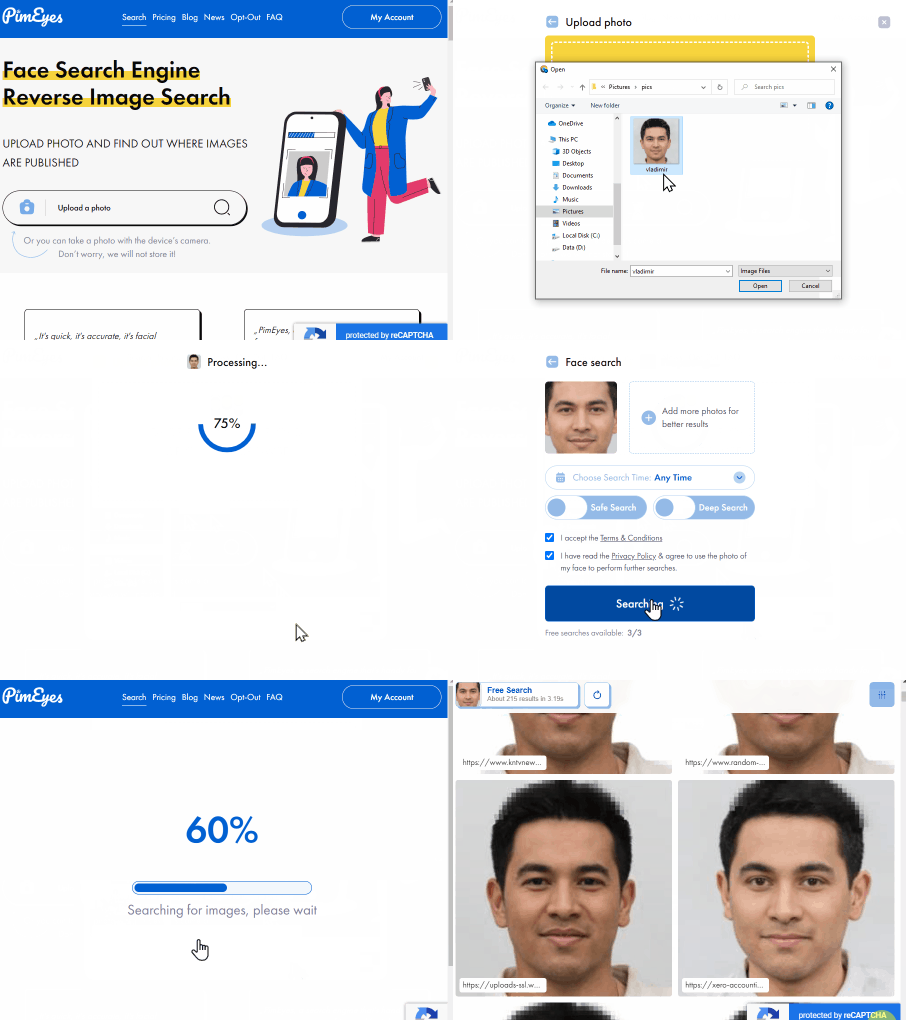
Face search engine PimEyes
These are the best face search engines that you can use to find someone.

Read More on Facial Recognition Search
How to Find an Unknown Person's Name and Details With Just a Picture
Found a photo but have no idea who's in it? Whether it's a stranger from a random encounter or a face in an old picture, figuring out who someone is with just an image can feel impossible - until you know the right tricks. Here's how to turn a single photo into a name, step by step.
Popular Topics
Face Search Engine Identity Social Media Image Search Facial Recognition Social Media Account How To Facebook Instagram Google Images Twitter TinEye Image Search Engine Find Someone LinkedIn Law Enforcement PimEyes Search by Face OnlyFans Bing Images Face SearchTop Reverse Image Search Tools: PimEyes vs FaceCheck Detailed Analysis